Generating Test Phone Numbers for Twilio, Firebase, and Other Dev Tools
Learn how to configure test credentials, magic phone numbers, and sandbox environments in Twilio and Firebase Authentication for OTP testing.
Sarah Chen•
Learn how to configure test credentials, magic phone numbers, and sandbox environments in Twilio and Firebase Authentication for OTP testing.
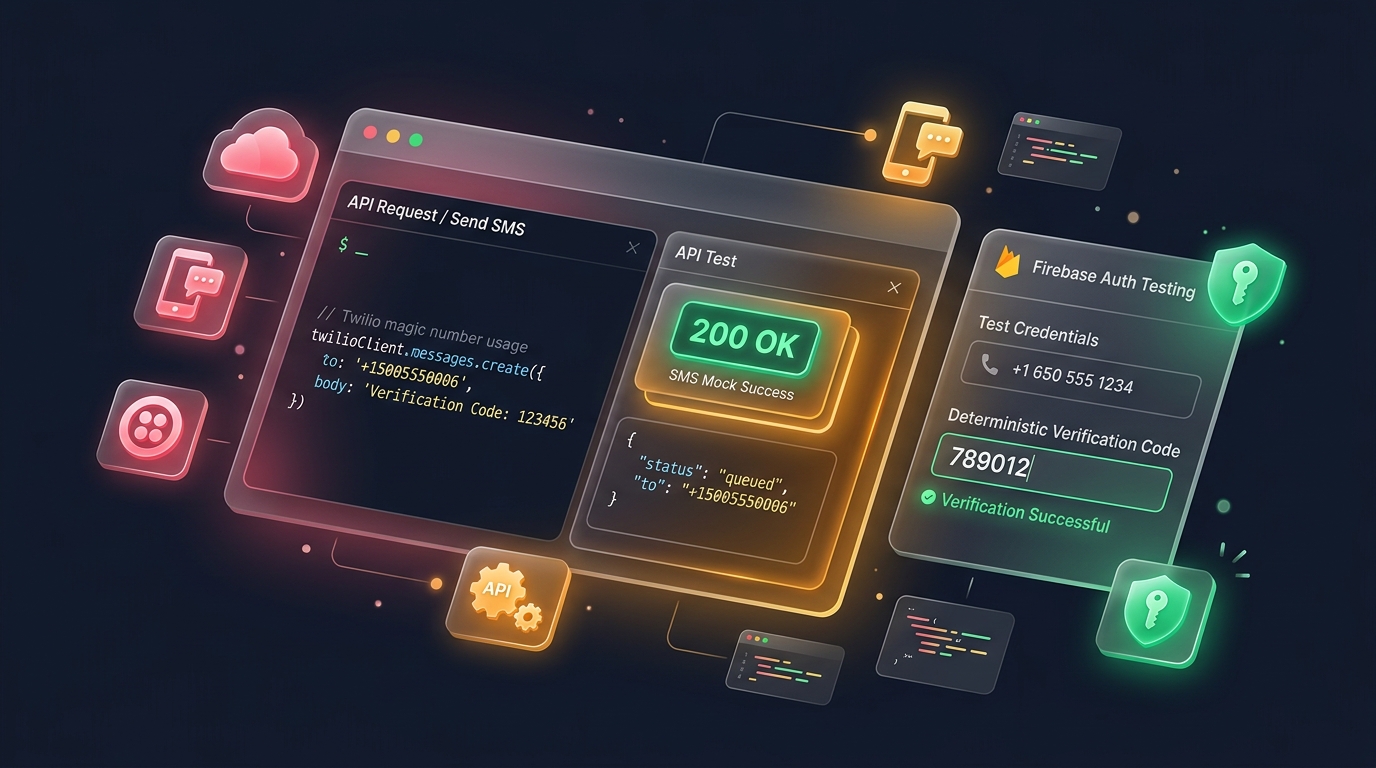
Building phone-based features means testing them thoroughly before real users ever touch your app. This guide walks through how developers create reliable test phone numbers for platforms like Twilio and Firebase without risking real accounts.
Developer testing involving phone numbers can’t rely on real user data. Using actual numbers risks sending unwanted SMS testing messages or triggering real calls, which damages trust and can violate service terms.
Dedicated test phone numbers solve this by giving teams a safe, repeatable way to run automated tests across sign-up flows, verification screens, and messaging features without any real-world side effects.
A solid development environment setup includes a pool of pre-approved test numbers. These usually come from your provider’s own sandbox environment, since raw random digits can sometimes overlap with real, active lines.
Keeping this pool consistent across your team also makes integration testing more reliable, since everyone tests against the same known values instead of generating fresh, unpredictable numbers each time.
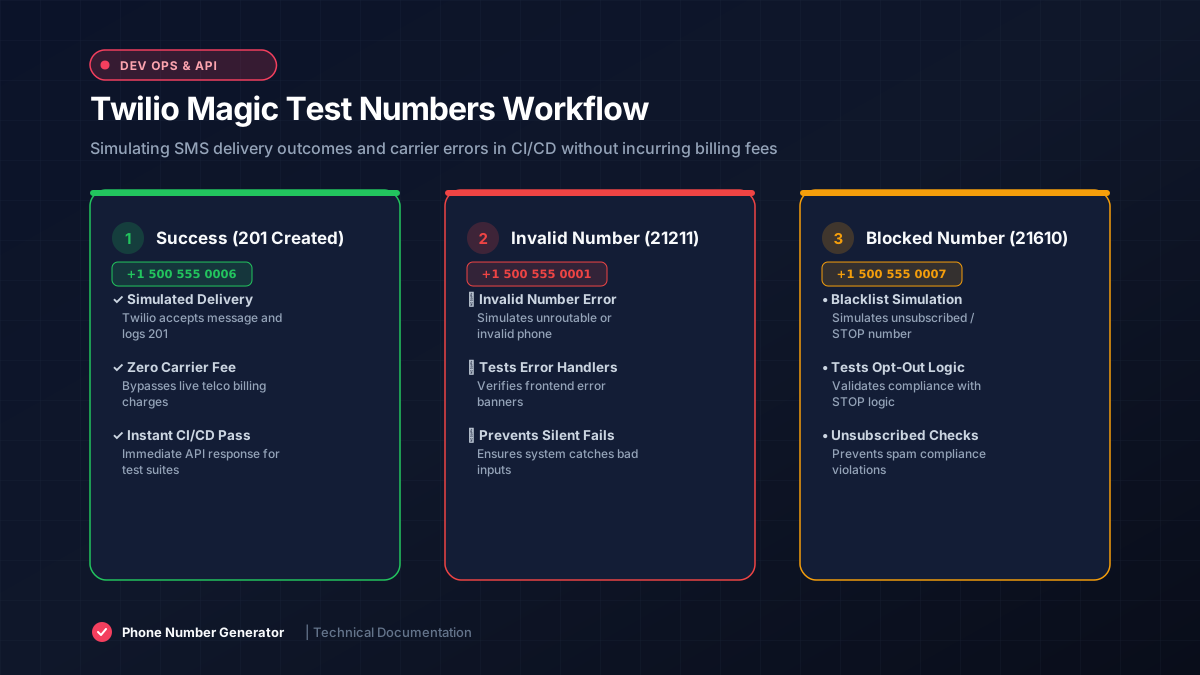
Twilio testing relies on special test credentials that separate sandbox activity from your live account. These credentials let you simulate sending messages and calls without actually reaching real phones or incurring real charges.
Twilio also provides magic numbers, specific test values that trigger predictable responses like simulated failures or successes, making it far easier to build thorough API testing coverage for edge cases.
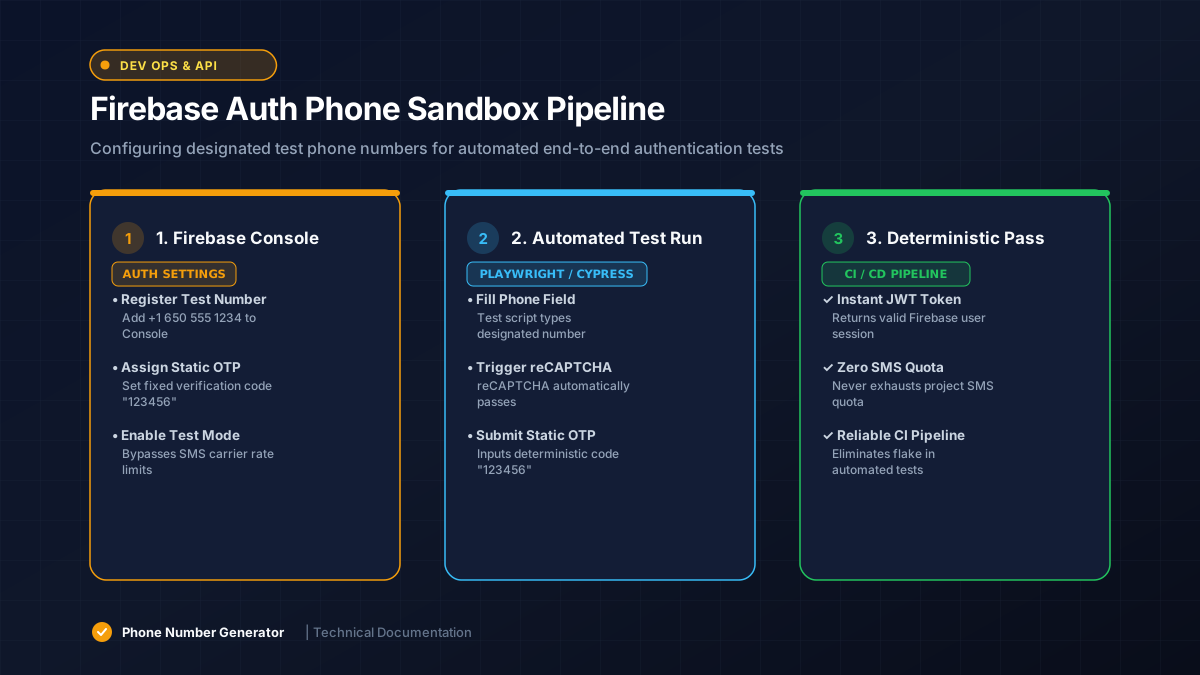
Firebase phone authentication supports designated test numbers you can configure directly in the console. These bypass real SMS delivery entirely, letting you verify your authentication flow without needing a physical device.
This setup is especially useful for continuous integration pipelines, where Firebase Auth tests need to run automatically without waiting on real text messages to arrive during each build cycle.
Mixing sandbox and production traffic is a common, costly mistake. A clear staging environment boundary keeps test credentials from ever touching real customer phone numbers or triggering real billing charges.
Most teams enforce this separation through environment variables and separate API keys, ensuring a stray test run can never accidentally reach a real user during a demo or deployment.
Repeatable test data means the same inputs produce the same outputs every time. This matters enormously for automated tests, since flaky, inconsistent phone number behavior makes debugging failures far more difficult than it needs to be.
Version-controlling your list of test numbers, alongside expected outcomes, keeps your integration testing suite predictable as your team and codebase both grow over time.
Twilio’s magic numbers and Firebase’s test numbers are provider-specific, meaning they only behave predictably within that platform’s sandbox. A generic mock phone number from elsewhere may not trigger the same simulated responses.
Always check your provider’s documentation for their specific test phone number generator guidance rather than assuming any random-looking number will behave the same way across different services.
Testing OTP testing flows without real users means using provider sandbox tools that return predictable codes. Both Twilio and Firebase support this, letting you verify your authentication flow end to end safely.
This approach also makes it easy to test failure cases, like incorrect codes or expired sessions, since sandbox tools typically let you trigger these scenarios on demand rather than waiting for real conditions.
Test credentials should never be committed to public repositories. Treat them with the same care as production secrets, since exposed sandbox keys can still be misused, even if they don’t reach real phones directly.
Rotate credentials periodically and restrict access to your sandbox environment based on team roles. This keeps your QA testing setup secure while still remaining accessible to the developers who actually need it.
Reliable test phone numbers make developer testing faster and safer across Twilio, Firebase, and similar platforms. Sticking to sandbox tools and provider-specific test data keeps your authentication testing clean, repeatable, and free from real-world risk.