How to Store Phone Numbers in a Database
Best practices for database schema design, VARCHAR column selection, E.164 normalization, extensions handling, and personal data encryption.
Marcus Vance•
Best practices for database schema design, VARCHAR column selection, E.164 normalization, extensions handling, and personal data encryption.

A poorly designed phone number database causes headaches for years. This guide walks through the right way to structure, normalize, and protect phone data from the very start of a project.
Phone number storage decisions made early shape how easily your team can search, validate, and update contact data later. Rushing this step often leads to messy, inconsistent records across a growing user base.
Planning ahead for international support, formatting consistency, and future features like SMS verification saves significant rework compared to retrofitting a database schema built without any of this in mind.
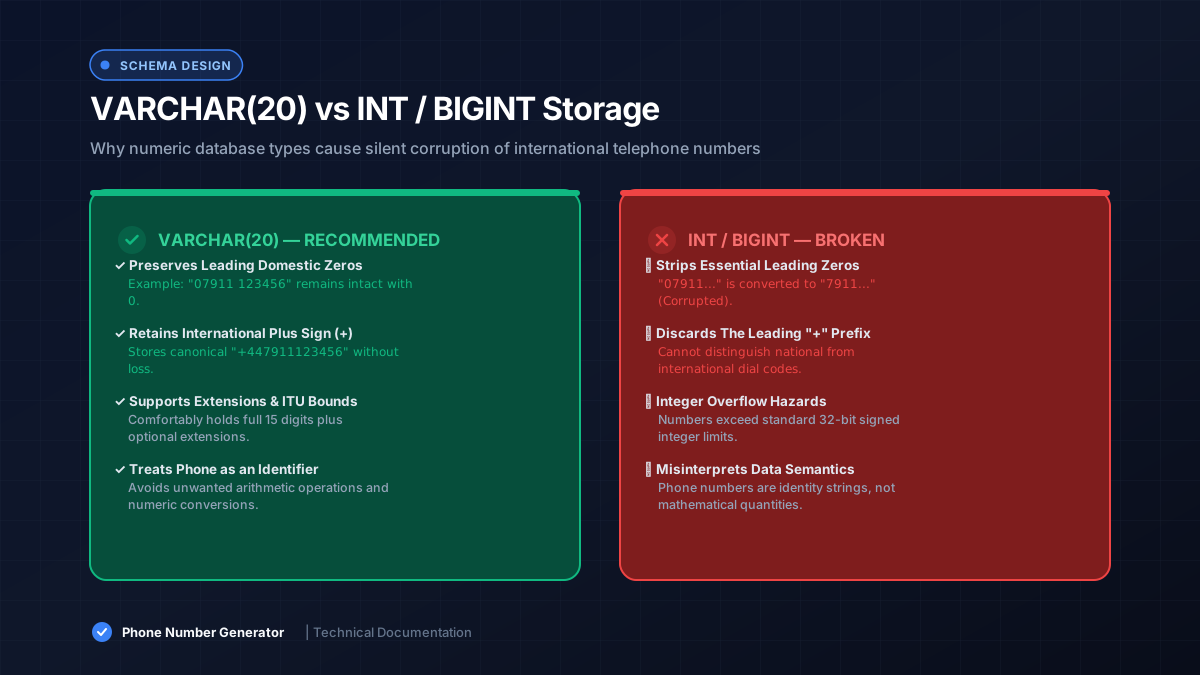
Despite looking numeric, phone numbers should never use an integer database phone field type. Leading zeros, plus signs, and varying lengths across countries make numeric storage unreliable and prone to silent data loss.
A properly sized text field handles every format correctly, without losing meaningful digits or misrepresenting the number’s true structure the way a numeric column inevitably would over time.
Storing numbers as text preserves leading zeros, plus signs, and formatting exactly as entered. This is central to reliable phone data type decisions, since numeric fields silently strip characters that actually carry meaning.
A VARCHAR phone number field, sized generously, comfortably accommodates the full range of international formats without truncation issues appearing later as your user base expands globally.
Storing the country code alongside the main number, either combined in E.164 format or as a separate field, supports accurate international phone number handling across your entire application.
Separating the two fields also makes region-based queries and reporting easier, letting you filter or group users by country without needing complex string parsing every time you run a report.
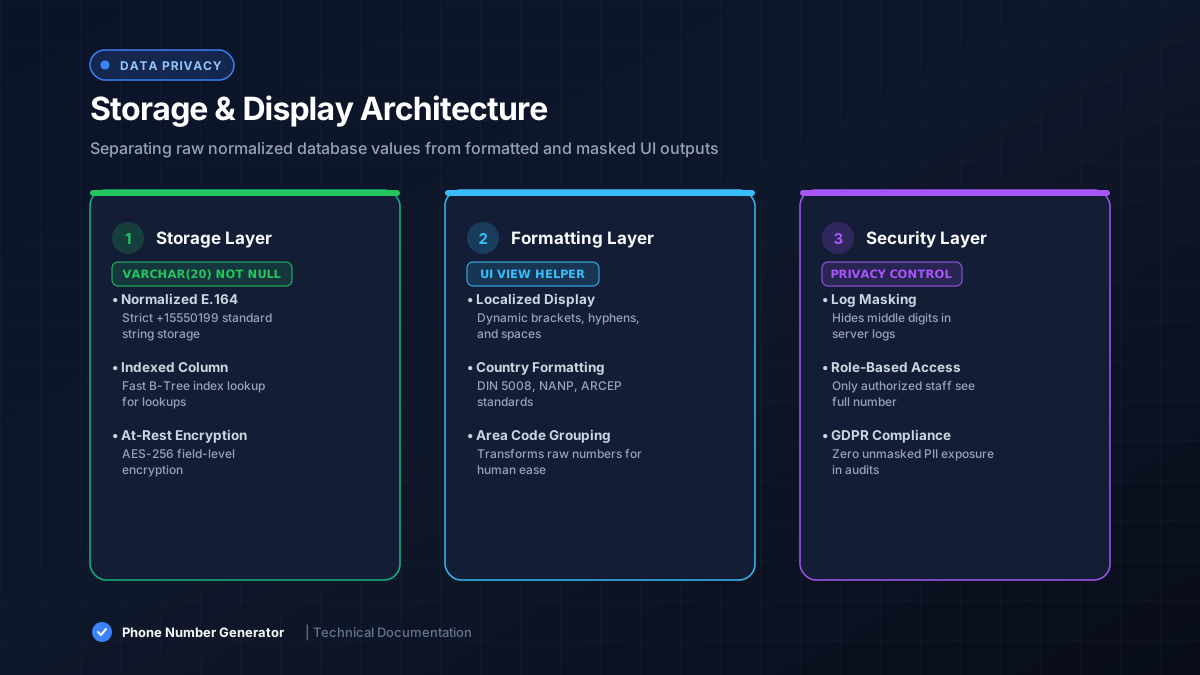
Phone normalization before saving ensures every record follows one consistent format, usually E.164. This single step prevents duplicate entries and mismatched searches caused by inconsistent formatting across different signup sources.
Running normalization at the application layer, right before the database write, keeps this logic centralized and easy to update if formatting requirements change down the line.
Storing numbers in a clean, normalized format doesn’t mean displaying them that way. Most apps format numbers for readability at display time, converting the raw E.164 string into a familiar, locally formatted layout.
| Stored Format | Display Format |
|---|---|
| +15551234567 | (555) 123-4567 |
| +447911123456 | 07911 123456 |
Some contact records need extensions or additional routing details beyond the base number. Storing these in a separate field, rather than appending them to the main phone number schema, keeps parsing logic simple and reliable.
This separation also avoids breaking normalization or validation logic that expects a clean, standard phone number string without any extra trailing characters attached.
Adding basic database constraints, like length limits or format checks, catches bad data before it enters your system. This small safeguard significantly improves overall phone data integrity without much added complexity.
Combined with application-level phone number validation, database constraints act as a reliable last line of defense against malformed entries slipping through from less-checked code paths.
Phone numbers count as personal data under most privacy regulations. Treating user contact data with proper access controls, encryption where appropriate, and limited internal visibility reduces both legal and security risk significantly.
Database security practices like field-level encryption or masking in logs help ensure phone numbers aren’t accidentally exposed through debugging tools, error messages, or unauthorized internal access.
A well-planned phone number database design saves enormous trouble down the road. Storing numbers as text, normalizing early, and protecting sensitive contact database fields keeps your system reliable, searchable, and secure as it scales.